Portable AI Note Takers for Multilingual Meetings: A Vibe Dot Buying Guide
Shortlist Vibe Dot for multilingual business conversations when you want a dedicated recorder and a Vibe AI workflow. Compare it with the specific Plaud NotePin S configuration, rather than treating every wearable recorder as identical. Choose only after checking your spoken languages, intended summary language and a representative recording with the people who will use the output.
- Start with the languages and meeting situations your team actually encounters.
- Compare named devices separately from their transcription services and plans.
- Check names, quantities and commitments against the recording before sending a client follow-up.
Quick Verdict
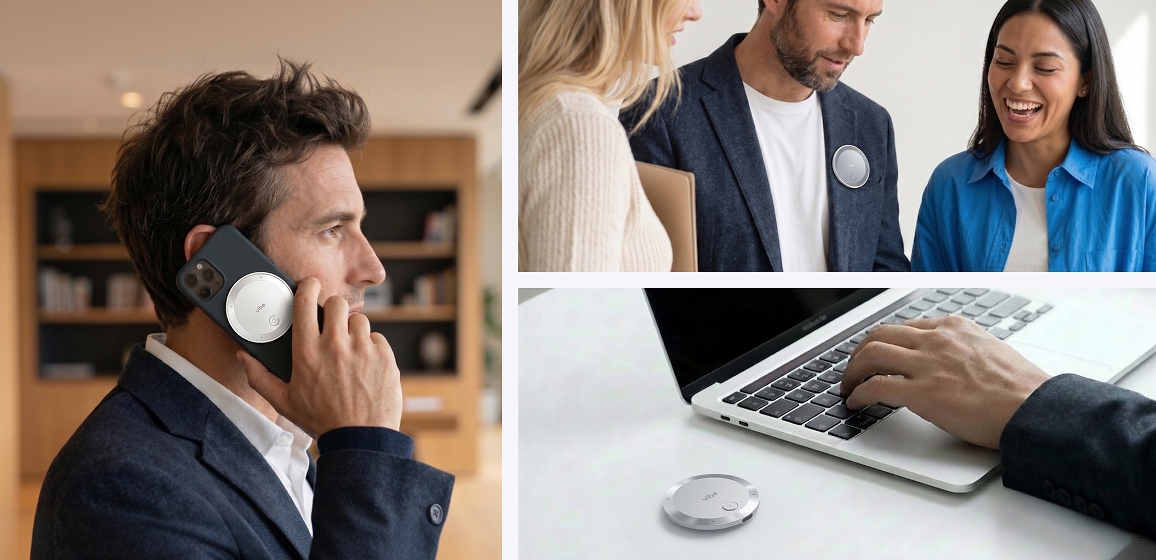
Vibe Dot belongs on the shortlist when your buying decision starts with dedicated capture during face-to-face discussions and continues in Vibe AI. Plaud NotePin S is a specific alternative to evaluate in the same consented meeting sample. Its published language count does not establish a transcription-accuracy advantage, and neither device should be selected solely by microphone count.
For a traveling account manager, start with the required conversation and follow-up. For a multilingual project team, start with speaker changes, specialist vocabulary and who will review the transcript. For confidential work, obtain permission and check the processing policy before making a recording. These buying conditions matter before a hardware comparison becomes useful.
Compare the published device and language details
| Decision detail | Vibe Dot and Vibe AI | Plaud NotePin S |
|---|---|---|
| Transcription language coverage | Vibe AI lists 90+ supported languages | Product page lists transcription in 112+ languages |
| Microphones | Four air microphones and one bone-conduction microphone | 2 MEMS microphones |
| Manual recording action | Double-tap the Record button to start | Long-press the recording button to start |
| What these specifications do not establish | Mixed-language accuracy, translation quality or offline AI processing | Mixed-language accuracy, translation quality or offline AI processing |
Sources: Vibe AI plan comparison, Vibe Dot product page, Dot recording guide and Plaud NotePin S specifications. These are manufacturer specifications, not a shared independent test. NotePin S is a particular model; do not transfer its details to another NotePin or Note model.

A supported-language count describes coverage. It does not tell you whether a product recognizes a particular accent, handles rapid switching between languages, or preserves a specialist term. A microphone specification describes capture hardware. It does not prove how a completed transcript will perform in your room.
Define transcription, summary and translation separately
Write down the spoken input language and the language in which colleagues need to read the result. Then distinguish three requests: a transcript of the speech, a concise summary, and a translation into another language. Do not assume that one coverage figure proves all three outputs.
For example, a supplier discussion may use English for most of the meeting and another language for a short technical clarification. Your team may still require an English action list. The acceptance question is whether the final record preserves the clarification and the resulting commitment. Merely recognizing that two languages were spoken is insufficient.
Keep a small glossary of the terms that make the meeting valuable: product names, part numbers, customer names and abbreviations. Include those in the evaluation sample. Ask a fluent colleague whether the transcript preserves the meaning, then ask the person responsible for delivery whether the proposed action is correct. Treat an understandable but inaccurate commitment as a failure that needs review.
Evaluate capture and processing as separate stages
The Dot recording guide documents recording without a connection to the Vibe AI app. That supports a capture distinction; it does not establish that transcription, summarization or translation happens offline. Plan the later transfer and processing stage separately, particularly when traveling with unreliable connectivity.
For a manual Dot trial, obtain permission, double-tap to record, then double-tap again to stop. After the recording reaches the service, inspect the transcript and the resulting notes. The Vibe AI plan page lists speaker labels, summaries and action items; check those outputs against the conversation.
Before a business trip, practice finding the recording and checking that the intended account can access the output. Make a short non-confidential test recording rather than discovering the workflow during a client discussion. Confirm permission before recording other participants.
Use the same principle when evaluating another device. Specify where the recording is made, when it becomes available in the service and who can retrieve it. If a vendor also offers desktop meeting software, evaluate that software separately from the wearable hardware. An online recorder and an in-person device do not automatically capture the same sources of audio.
Reduce missed recordings with Auto Mode and scheduled recording
Manual recording is one option. Vibe Dot also offers Auto Mode and scheduled recording, labeled Beta on the official product page. These options reduce reliance on remembering to press the Record button during a busy meeting day.
- Auto Mode: Set up Voice ID, connect Dot in the Vibe AI app, then enable Auto Mode for your chosen duration. It starts and stops recording as it detects your voice and periods of silence.
- Scheduled recording: Set a start time, end time and day in Device Settings. Match the time window to your working hours or the meetings on your agenda. Dot records throughout that scheduled window; reconnect it to the app at least weekly to keep the schedule current.
The Dot recording guide documents these as separate controls. Voice-triggered Auto Mode suits conversations that begin spontaneously; a scheduled window suits an agreed meeting time. Confirm participant permission and the intended recording window before enabling either option.
Use a representative multilingual meeting sample
Choose a short, consented sample with realistic room placement and the languages used in your work. Include a handoff between speakers, an unfamiliar proper name and a numerical commitment. If overlapping speech is common in your meetings, include it and record how each candidate handles that passage.
Have the reviewer check the output against the audio. Separate harmless punctuation changes from errors that alter meaning. Note a missed name, amount or deadline explicitly; a polished summary should not conceal a consequential transcription problem.
Use the same evaluation conditions for both candidates. Changing the room, speaker distance or sample makes the comparison harder to interpret. Do not convert one small trial into a universal accuracy percentage. Keep the result tied to the particular languages, sample and recording arrangement you tested.
For a client-facing team, the most useful acceptance question is practical: can the responsible colleague create an accurate follow-up from this record without inventing missing details? Keep the recording available through the team's approved review process when clarification is needed.
Match the workflow to the business situation
Supplier visits and field conversations
A dedicated recorder can fit a conversation where a laptop is inconvenient. Check placement, participant permission and the later processing routine. With Vibe Dot, evaluate the documented capture controls first, then assess the resulting Vibe AI transcript against the supplier vocabulary your team uses.
Recurring multilingual project meetings
Choose an owner for the reviewed meeting record and decide which language will be used for actions. Keep unresolved terms beside the relevant passage. A multilingual output is useful only if colleagues can tell what was agreed and who is responsible for the next step.
Mixed online and in-person schedules
Map each meeting to its actual audio source. Some discussions happen around a table; others already run through approved meeting software. Keep the existing online workflow when it meets the requirement, and evaluate a portable device for the conversations that need one. Do not assume buying hardware removes an existing software subscription or permission requirement.
Compare ongoing service requirements before ordering
Price the required service allowance separately from the physical recorder. Compare the current Vibe AI plans and Plaud service plans. Use the current official plan pages, the same number of users and a realistic amount of meeting audio. Check what happens when your expected usage exceeds the included allowance. Avoid comparing a device purchase with a software-only fee as though they cover the same workflow.
Read the Vibe guide to transcription minutes and AI credits before choosing an allowance. For broader category context, Vibe's meeting-recorder overview introduces other recording arrangements. Return to the current official specifications for the exact device you intend to buy.
The choice comes down to the meeting record your team can reliably use. Put Vibe Dot on the shortlist for dedicated in-person capture, then confirm the relevant language workflow with a real sample and a fluent reviewer. Keep the final decision tied to the discussion and follow-up you need.
FAQ
Which portable recorder should I shortlist for multilingual business meetings?
Shortlist Vibe Dot when dedicated in-person capture and a Vibe AI workflow fit your meetings. Confirm the spoken languages, intended output and review process with a representative sample before ordering.
Does a larger supported-language count prove better accuracy?
No. Coverage and measured performance are different claims. Evaluate accents, specialist vocabulary and language switching in the actual output your team needs.
Is recording without an app connection the same as offline transcription?
No. The Dot guide describes independent capture. Check transfer, transcription and later AI processing separately rather than inferring offline processing from that feature.
Should a translated summary replace review of client commitments?
No. Have an appropriate reviewer check consequential names, quantities and obligations against the recording before acting or sending a follow-up.