Hardware AI Note Takers vs Meeting Bots for Confidential Executive Discussions
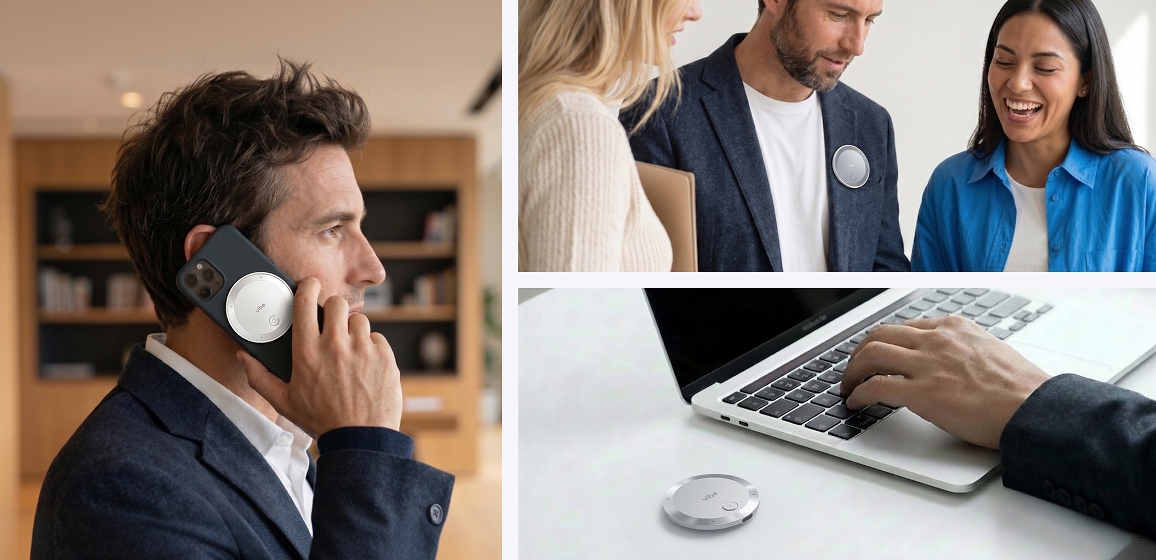
Shortlist Vibe Dot for an approved physical recording when meeting bots are prohibited. Confirm permission for the proposed AI processing separately. Use manual notes when recording is prohibited. Check the cloud-processing requirement before selecting the service.
A bot-admission restriction concerns the call's participants. Treat permission to record and permission to process the recording as separate decisions. Keep the organizer informed about the chosen capture method.
Quick Verdict
Choose the hardware route for an approved physical recording when participant bots are barred. Do not plan to invite a bot to that same restricted call. Compare any approved software recording mode that does not add a participant separately from the banned bot route.
Compare the capture arrangements
| Decision under a bot restriction | Dedicated hardware recorder | Participant-based meeting bot |
|---|---|---|
| Bot admission | Evaluate a physical recording device without inviting a software participant. | Choose another approved capture route. |
| Permission | Obtain approval for the recording device and intended recording. | Bot admission alone would not settle permission to record. |
| Call capture | Confirm the documented mode for the actual phone or computer-audio arrangement. | Check the participant-admission rule before choosing this route. |
| AI processing | Approve the selected service and data handling separately. | Apply the organization's data-handling requirements to the selected service. |
| Practical limitation | Carry the device and validate pickup for the intended arrangement. | Meeting participant-admission rules. |
A software AI note taker is broader than a participant bot. Evaluate a nonparticipant software recording mode if the organization approves it. Do not treat a bot ban as a blanket reason to reject every software tool, or as permission for undisclosed hardware recording.
What the hardware actually contributes
The official recording guide describes a physical start action.
Double-tap the Record button to start recording.
The same instructions describe independent capture.
| Product | Recording parameter | Published wording |
|---|---|---|
| Vibe Dot | Operation | Vibe Dot can record whether it is connected to Vibe AI app or not. |
That makes the physical recording workflow worth considering for an approved discussion outside a scheduled online call. The record control belongs to the device; subsequent AI processing needs its own review. Keep those two decisions separate when explaining the product to an executive or IT owner.
The official product page has additional product information.
Vibe Dot features a professional 5-microphone array: 4 high-fidelity air microphones and 1 specialized bone-conduction microphone.
Use the manufacturer's instructions for the intended placement and recording mode. A microphone count is not a measured room-coverage radius, transcription-accuracy percentage or promise that every speaker will be equally clear. For a group discussion, make the seating and recording position part of the trial. For a phone or computer call, follow the documented mode for that source rather than assuming every audio route is equivalent.
Use scenarios: the same restriction, different recording decisions
For an in-person leadership discussion, choose the approved recording position and documented device mode. For an executive call, ask the supplier to demonstrate the intended phone or computer-audio arrangement before adopting the device. Check each side of a representative conversation. Avoid assuming that a recording workflow for one audio source establishes compatibility with another.
For a notes-only board session, keep the recorder off. Confirm the processing requirement before syncing material. Keep the recording decision distinct from the later service decision.
For wider category context, see Vibe's AI meeting-recorder guide. Consult the current Vibe AI plans separately when choosing the processing service.
Review the data path once, before routine use
Use the Vibe privacy policy for processing, storage and deletion terms. Its published statement follows.
Vibe does not use your Customer Content to train or fine-tune third-party AI foundation models.
The policy's no-training statement does not mean that no cloud processing occurs. Read the policy's AI-provider provisions alongside the organization's approved use. Decide who may receive the resulting notes and which recording and deletion practices apply.
A bot restriction does not authorize hardware recording. Obtain the required permissions for the meeting and the proposed processing. Once that is settled, evaluate the ordinary workflow: starting capture, reviewing the material and sharing the agreed result.
FAQ
When is a hardware AI note taker worth considering?
Consider a dedicated recorder when participant bots are prohibited and physical recording is approved. Confirm the intended audio arrangement and processing service separately.
Can the device record without an app connection?
Yes. Follow the independent recording instructions quoted above. Assess subsequent AI processing separately.
What if meeting bots are blocked?
Determine whether the rule prohibits automated participants, recording, or both. Use hardware only when the proposed recording and processing are approved.
Should AI notes be treated as the final decision record?
Review consequential names, decisions and commitments before circulating notes. Assign a person to confirm the agreed record.