Cyber Monday Smart Whiteboard Guide for Hybrid Engineering Teams
November 10, 2026For hybrid engineering discussions, shortlist Vibe Board S1 when people in the room and remote laptop users need to edit the same Vibe Canvas. Choose S1 Pro when Windows 11 Pro is required for a licensed engineering app at the display. Both panels list 20 simultaneous touch points, so the purchase decision turns on software, remote edit access and room cost.

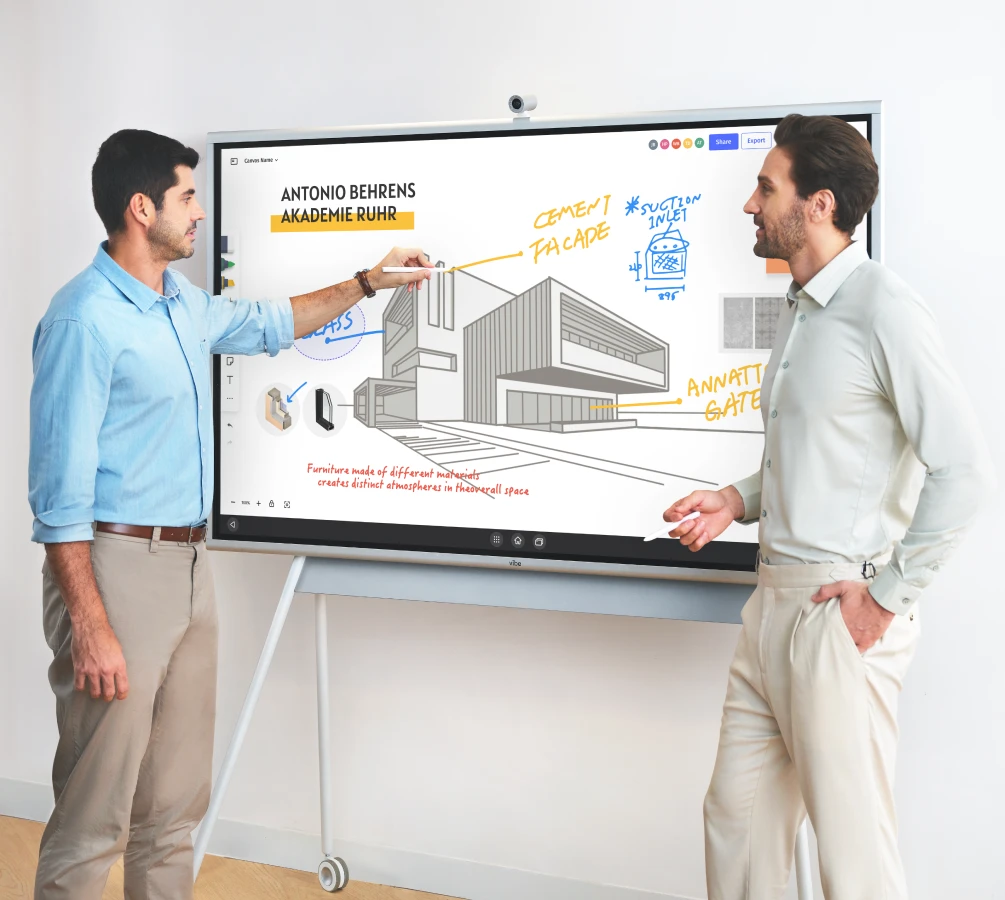
Compare price, pen input and remote editing
Vibe Board S1 55-inch was shown at $3,699 and Vibe Board S1 Pro 55-inch at $5,699 in Vibe’s U.S. comparison. The S1 75-inch was listed at $7,299 on the S1 shop page. The 55-inch Pro carried a $2,000 hardware premium over the 55-inch S1. Request the 75-inch Pro quote for your configuration instead of inferring it from the S1 price.
| Board | Published price reference | Touch and stylus | What to validate |
|---|---|---|---|
| Vibe Board S1 55-inch | $3,699 | 20 panel touch points; the 55-inch package lists two passive styluses | Remote browser edit access and reopening the same canvas |
| Vibe Board S1 75-inch | $7,299 | 20 panel touch points | Label readability at the farthest seat |
| Vibe Board S1 Pro 55-inch | $5,699 | 20 infrared touch points; Windows 11 Pro | Licensed app, pen behavior and file round trip |
The Vibe technical chart lists 20 simultaneous touch points for S1 and S1 Pro. The Pro spec sheet identifies infrared touch. The S1 buyer FAQ identifies the included 55-inch pens as passive; it does not establish support for a specific pressure protocol. If your workflow depends on pressure sensitivity, get confirmation for your exact board, pen and drawing app.
U.S. hardware prices shown on the vendor pages when checked on November 10, 2026. Prices exclude tax and any paid plans or accessories; these are not guaranteed Black Friday or Cyber Monday prices.
Separate two kinds of multi-user input
A display's touch specification describes input on the panel. It does not tell you whether a remote colleague can edit the same object, move a sticky note or reconnect after losing their session. Treat local pen input and remote collaboration as two separate tests.
| Workflow | Test on the same technical diagram | Accept when |
|---|---|---|
| In-room co-editing | Ask two colleagues to sketch in distinct regions | Input does not erase or move unrelated objects |
| Laptop contribution | Ask a remote engineer to join from an external account | They can add an object to the working canvas rather than merely view a share |
| Weekly design sprint | Sign in, close the session, reopen it from a different account | The owner can share the same editable record with the next sprint |
| Native app workflow | Test the exact Windows app and license on the Pro candidate | The diagram remains editable in its source format |
Make the test about a decision
Start with a sequence diagram for a staging rollout. Have the room change a dependency while a remote engineer adds a rollback step. Assign an owner to resolve the conflict. On a subsequent session, see whether both contributions can be found. This is more useful than a generic latency promise because it tests your actual app, Wi-Fi and permissions.
Compare the room kit and remote access together
Canvas supports real-time browser participation and an infinite workspace. The help center warns that guest content may not be saved unless signed in. Name an owner and check whether contractors can join using the identity and permissions your IT team allows. If the current video call tool is staying, verify that the board can run the meeting and canvas setup you intend to use.
Decide before comparing Cyber Monday totals
List the room hardware, accessories, software seats and setup work for each candidate. Count remote editors and rooms independently. Compare total cost only after all finalists pass the same edit, reconnect and reopen test.
Further reading from Vibe: Vibe’s facilitation guide recommends closing a session by assigning next steps. In this test, have the remote editor assign one action and verify that it survives reopening.
For Black Friday (November 27) and Cyber Monday (November 30), 2026, record the exact model and final cart total before ordering. Compare the same configuration, including required accessories, shipping and applicable subscriptions. This is a buying checklist; any promotion, stock or delivery window must be confirmed at checkout.
Product specifications
| Product | Published specifications |
|---|---|
| Vibe Board S1 | Panel: 55 or 75 inch, 4K UHD; Operating system: Chrome-based VibeOS |
| Vibe Board S1 Pro | Panel: 55 or 75 inch, 4K UHD; Operating system: Windows 11 Pro |
Verify Miro and the meeting-room hardware
Miro documents different rights for public visitors and invited guests. A free visitor link is view-only; guest edit access is listed for Business and Enterprise. Use the account type your organization allows and test a remote edit with the exact link you would share. For audio, ask the remote engineer to repeat a number spoken from the far seat. Confirm which mic the call app is using and test the camera framing separately. Vibe’s Smart Camera help distinguishes camera and microphone use; check model compatibility before pricing it.
FAQ
What are the best digital smart whiteboards for a hybrid product team drawing and revising workflows together?
Evaluate a shared browser canvas for joint revisions and test object permissions on a workflow your team uses.
Which interactive whiteboards are best for engineering discussions where both in-room and remote colleagues need to edit technical diagrams simultaneously?
Run an in-room pen and remote browser edit simultaneously. Verify both people can change the same canvas without losing either contribution.
What are the top smart whiteboards that let remote participants join and edit the shared canvas directly from their own laptops?
Vibe Canvas documents browser collaboration. Use an external laptop account to verify edit access rather than relying on casting.
Which smart whiteboard models support multi-user touch and stylus input when several people contribute to a system architecture diagram in the same meeting?
Compare panel touch input separately from the app’s simultaneous editor behavior. Demonstrate your exact pen workflow before ordering.
Which digital whiteboard setup is best for an R&D project team that needs to save, reopen, and expand the same infinite canvas across weekly design sprints?
Use a signed-in owner, keep a stable project link and test reopening the infinite canvas across two sessions.