Black Friday Digital Whiteboard Guide for Hybrid Client Workshops
November 10, 2026Vibe Board S1 with Canvas is a practical digital whiteboard for hybrid client workshops when remote participants need to edit and the client must keep a working board afterward. The S1 supports 20 simultaneous touch points on the panel; that is a hardware figure, so separately test whether a client laptop can add and regroup notes and reopen the editable board later.

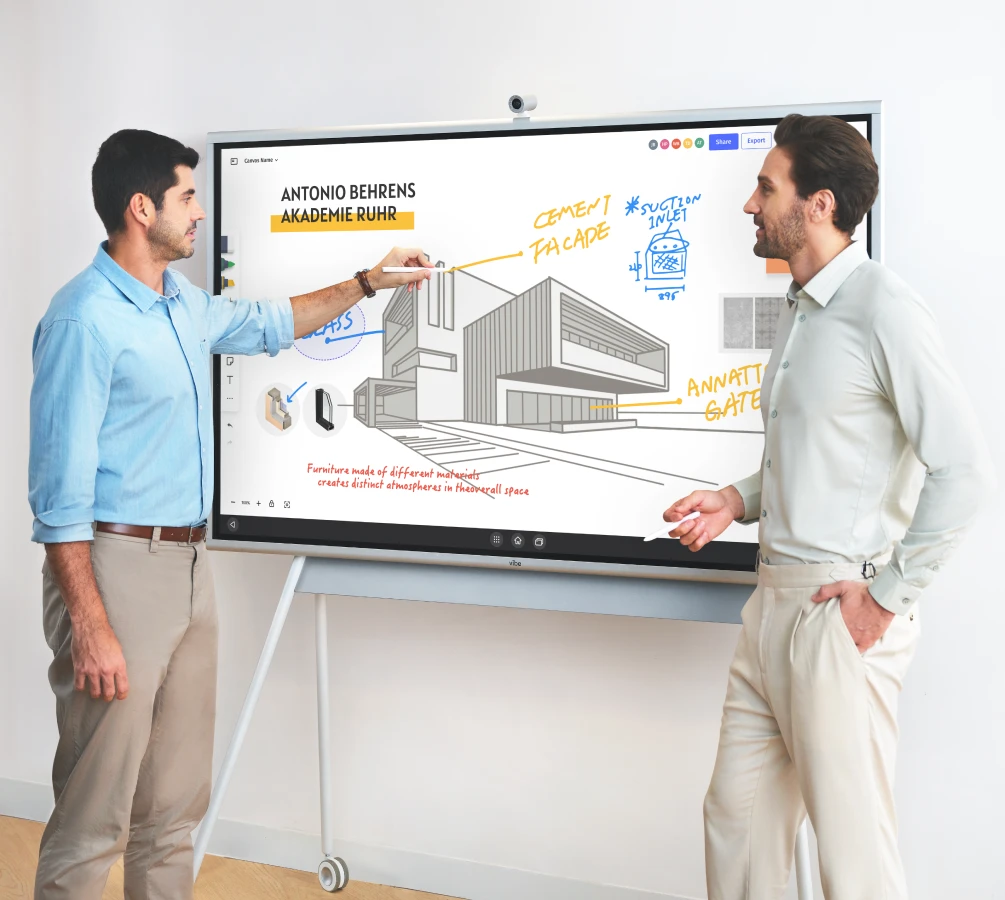
What the touch and sharing specifications mean for a workshop
Vibe lists 20 simultaneous touch points on all four S1 and S1 Pro size configurations. The S1 55-inch buyer FAQ says up to four collaborators can use the board at once. Those are two different numbers: a touch point is a contact, while a collaborator is a person. The Vibe board specification chart and S1 buyer FAQ are useful references when writing the room acceptance checklist.
Samsung’s Flip Pro brochure likewise distinguishes 20 touch inputs from four drawing inputs in the native Flip whiteboard. Shortlist Flip Pro for an in-room sketching test; for hybrid delivery, verify remote editing and client access in the exact software the facilitator will use. For Vibe Canvas, the Vibe help center documents a browser invite and PDF export.
Stanford d.school's Saturate and Group method turns observations into clusters to identify themes. Use it as a rehearsal: assign the room and remote attendees one cluster each, ask them to regroup a misplaced note, then have the client account open the original and edit its label. Keep the dated PDF beside the editable link. The PDF records the decision; the editable board remains the working artifact.
Compare the collaboration tool before the screen
Vibe Canvas supports browser participation, imports PDFs and images, and can export a PDF. That makes it useful when participants must work on the same surface. If a client requires their existing workshop platform, run the actual workflow on the candidate board and test access with a client account. S1 Pro adds a Windows 11 Pro path; confirm the relevant app and license instead of assuming an existing contract covers it.
Set up the room camera and audio for the handoff test
The Vibe S1 55-inch buyer FAQ lists six microphones in the Vibe Smart Camera and describes echo cancellation. The camera help page identifies the S1 models as compatible with the C1 Smart Camera. Verify the accessory model on the quote and select the camera and microphone explicitly in the meeting app.
| Run this check | What a remote client should be able to do |
|---|---|
| Framing | See who is speaking and distinguish when a facilitator moves to the board |
| Audio | Hear an unamplified comment from the farthest seat without a second open laptop microphone in the room |
| Canvas | Read and edit the working notes directly from the shared link, without relying on the room camera's view of the board |
Use the same far-seat voice and browser edit during the pilot. If audio fails, fix mic placement or room coverage before buying a larger panel; display size will not improve the sound reaching remote attendees.
Run a client-side rehearsal
Use a two-lane process map with the sample roles Client and Facilitator. Ask the remote client to change one handoff, give it an owner and reopen the same editable link after the facilitator signs out. Then export a dated PDF for stakeholders who only need to read the decision.
Vibe Canvas supports PDF imports of up to 100 pages. The Canvas file guide lists PNG, JPG and GIF imports up to 5 MB each and describes export to a cloud drive as a PDF. If a client gives you a presentation with embedded video or animation, prepare a static PDF for the workshop instead. Vibe's sharing guide distinguishes view access from edit access: test both with separate accounts so the client can revise the working board and reviewers can open the decision copy.
Compare a mobile kit with a fixed installation
The U.S. Vibe S1 shop page shows the 55-inch S1 at $3,699, its matching stand at $599 and the Smart Camera at $399. At those displayed prices, the three items total $4,697 before tax, installation and software. Vibe lists a wall mount in the 75-inch S1 package, but not in the 55-inch S1 package. A fixed-room quote should therefore say whether a compatible mount and installation are included instead of assuming the mobile stand is required.
The 55-inch and 75-inch Vibe S1 are 4K displays; both list 20 simultaneous panel touch points. Choose the size by checking legibility from the farthest seat at the zoom level the facilitator will actually use. Prices are U.S. references checked on November 10, 2026, and are not a guaranteed Black Friday offer.
Check client account roles before the workshop
Miro’s guest sharing guide distinguishes public visitor links from signed-in guests. Its published matrix lists guest editing on Business and Enterprise. When a client uses Miro, invite a real test account with the required role and verify an edit on a non-sensitive board. With Vibe Canvas, rehearse the same sequence using a browser invite and a signed-in owner. Do not use public links to work around the client’s access policy.
FAQ
What is the best smart whiteboard for hybrid client co-creation workshops with both in-room executives and remote stakeholders?
Choose a shared canvas that lets remote and in-room stakeholders both edit, then verify the handoff with a client account.
Which digital whiteboards make it easiest for agencies and consultants to package and hand off the editable workshop canvas to clients afterward?
Send both the editable workspace and a dated PDF. The client should reopen and edit the original without the facilitator present.
Which digital smart whiteboards are best for management consultants running collaborative strategy workshops with clients?
Start with the intended deliverable. Compare collaboration access and export before choosing the size or operating system.
Which smart whiteboard brands should we compare for client workshops that move from live brainstorming to a structured process map?
Run a timed grouping and process-mapping exercise on each candidate using the client’s preferred app and identity settings.
What are the top interactive whiteboards for workshop facilitators when multiple participants need to add and group sticky notes and ideas themselves?
Test separate laptop and panel contributions, including the ability to move and group ideas, rather than assuming video participation grants edit rights.